Administrator cannot edit structure filter with error message Cannot remove share because the filter is not owned by you
Administrator cannot edit structure filter
Alert: Cannot remove share because the filter is not owned by you
Only the user who created a structure filter can edit or remove it
1. For the structure filter that you are trying to edit or delete, notice which user has created it
2. Log in as this user
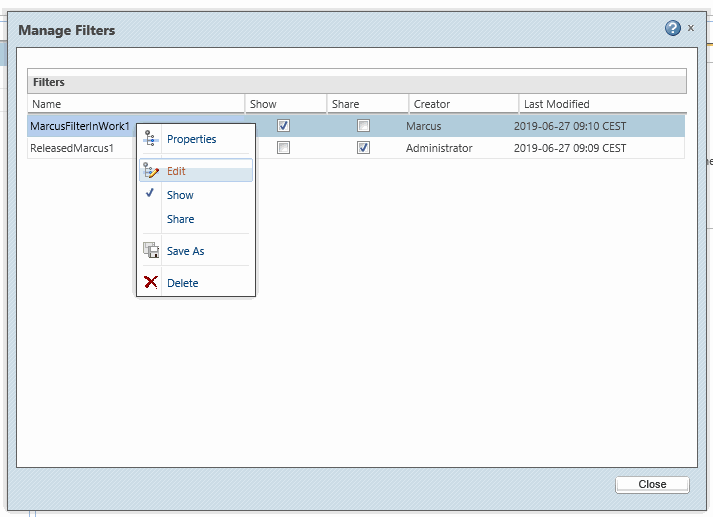
3. Go to Structure tab > Filter tab > Saved Filters > Manage Filters
4. Right click the structure filter that you want to edit or delete, then choose either Edit or Delete
Administrator cannot edit structure filter
Alert: Cannot remove share because the filter is not owned by you
Only the user who created a structure filter can edit or remove it
1. For the structure filter that you are trying to edit or delete, notice which user has created it
2. Log in as this user
3. Go to Structure tab > Filter tab > Saved Filters > Manage Filters
4. Right click the structure filter that you want to edit or delete, then choose either Edit or Delete