How to reindex all SOLR data in Windchill PDMLink
How to delete reindex all Solr-data or Reindex all data?
Reference: Article - CS36257
- Stop all the Windchill index queues (log on as wcadmin)
- From Site > Utilities > Queue Management
- Delete indexed objects from Solr Server
- Execute the following at Windchill server using a web browser (11.0 M030):
http://<Solr_host>:8085/solr/wblib/update?stream.body=<delete><query>*:*</query></delete>&commit=true
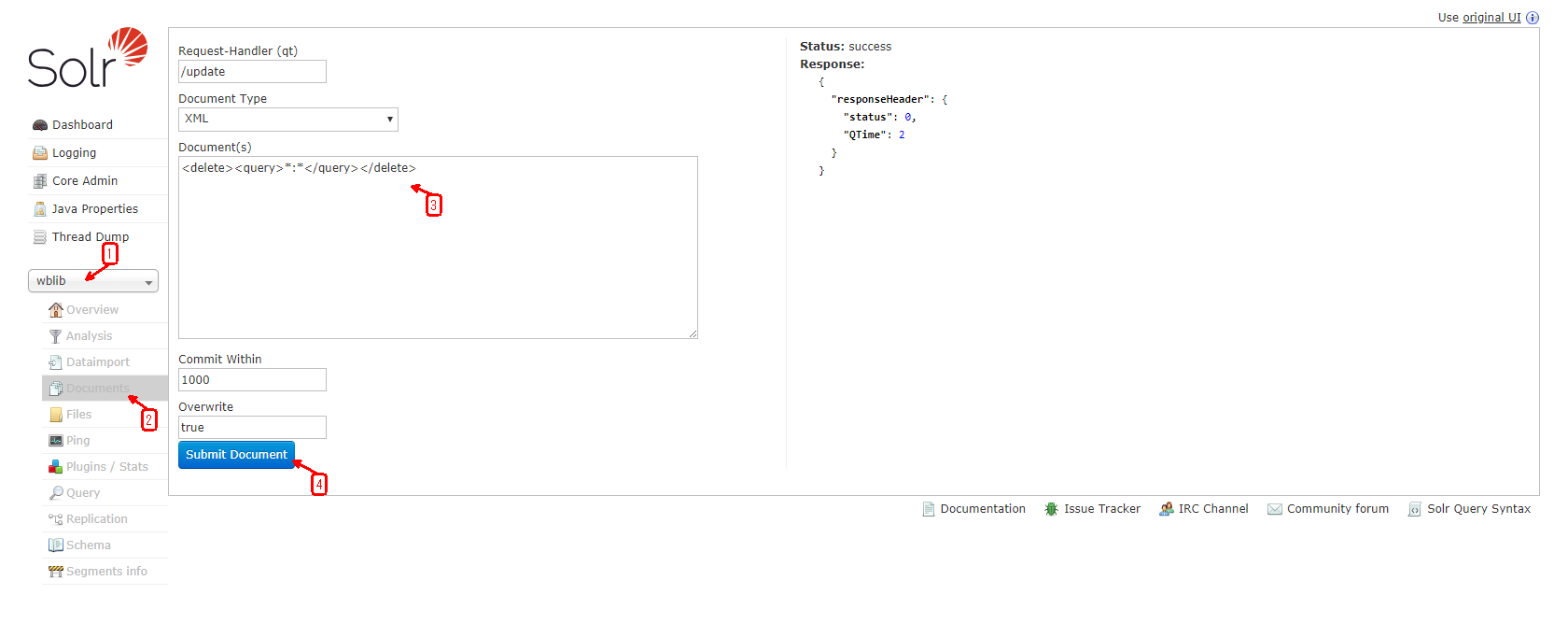
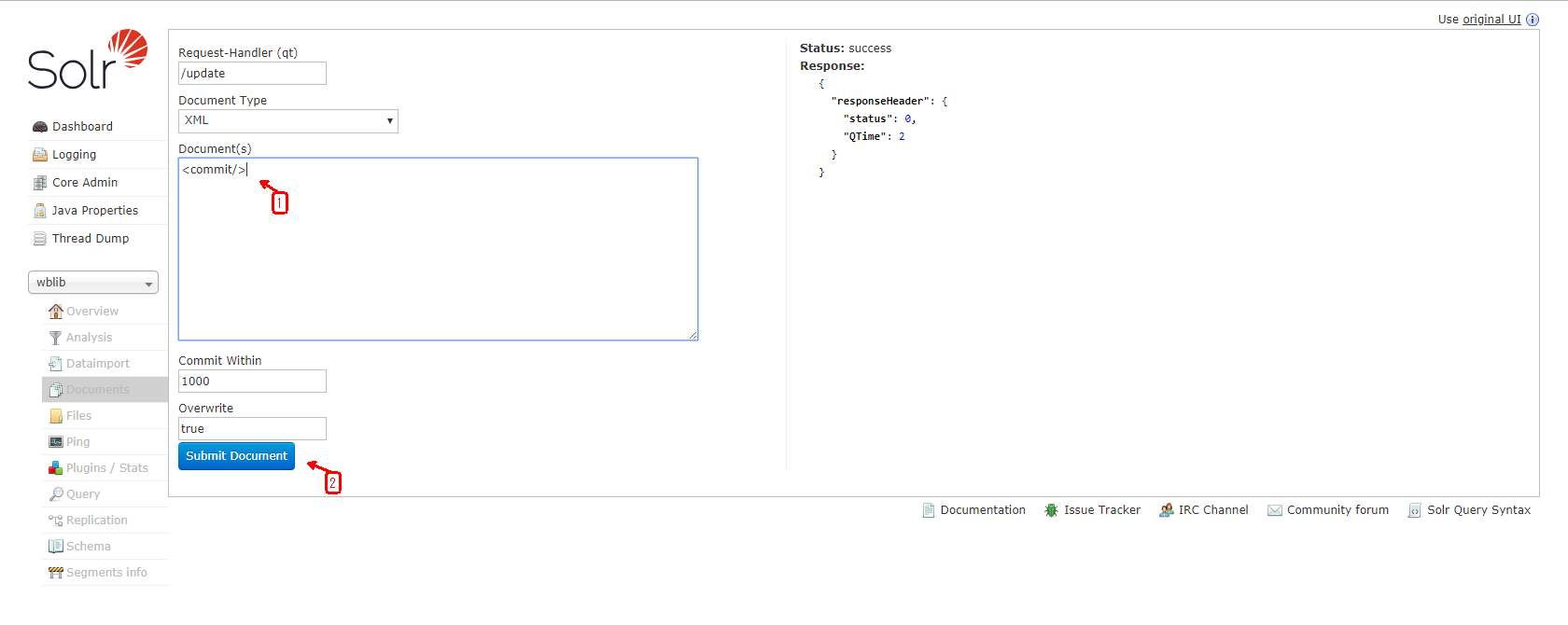
- Or execute from Solr Admin UI like below:
http://<Solr_host>:<Solr port>/solr
E.g:
http://windchill.domain.name:8085/solr
- Start all the Windchill index queues
- Re-index data
- Start Windchill’s Bulk Index Tool
- Run command from Windchill Shell: windchill wt.index.BulkIndexTool
- Reset all entries back to "objects remaining" status:
- Select option 8: Delete indexed data
- Start bulk indexing all entries:
- Select option 1: Index all Windchill data
- Monitor status:
- Select option 7:
- If stuck:
- Select option 5: Reset processing objects
How to delete reindex all Solr-data or Reindex all data?
Reference: Article - CS36257
- Stop all the Windchill index queues (log on as wcadmin)
- From Site > Utilities > Queue Management
- Delete indexed objects from Solr Server
- Execute the following at Windchill server using a web browser (11.0 M030):
http://<Solr_host>:8085/solr/wblib/update?stream.body=<delete><query>*:*</query></delete>&commit=true
- Or execute from Solr Admin UI like below:
http://<Solr_host>:<Solr port>/solr
E.g:
http://windchill.domain.name:8085/solr
- Or execute from Solr Admin UI like below:
- Execute the following at Windchill server using a web browser (11.0 M030):
- Start all the Windchill index queues
- Re-index data
- Start Windchill’s Bulk Index Tool
- Run command from Windchill Shell: windchill wt.index.BulkIndexTool
- Reset all entries back to "objects remaining" status:
- Select option 8: Delete indexed data
- Start bulk indexing all entries:
- Select option 1: Index all Windchill data
- Monitor status:
- Select option 7:
- If stuck:
- Select option 5: Reset processing objects
- Reset all entries back to "objects remaining" status:
- Run command from Windchill Shell: windchill wt.index.BulkIndexTool
- Start Windchill’s Bulk Index Tool